

Dashboard
The Dashboard is the first screen you see in the Invoice Portal. It shows how many documents you have sent, how many are compliant, and what needs your attention, for the country you are working in.
Open Dashboard at the top of the Invoice Portal menu.
The Dashboard always shows one country at a time: the one selected at the bottom of the sidebar. Each country has its own dashboard, because each country has its own kinds of invoice, its own tax and its own currency. Switch the country to see another one. See what changes by country.
The screenshots on this page show the United Arab Emirates. Your dashboard looks the same, with your country’s invoice types, tax and currency.
Choose what you are looking at
Three controls at the top right apply to both tabs.

- Sales or Purchases: invoices you issued, or invoices you received.
- The kind of invoice, such as B2B Only. Countries with more than one kind let you switch between them, for example B2B and B2C.
- The time range, such as Last 30 days. You can choose from Today up to All time.
Not every country has every control. The table at the end of this page shows which ones you get.
If a chart says No data available, no documents were sent in the time range you picked. Widen it.
Overview
The Overview tab answers one question: are my invoices going through?
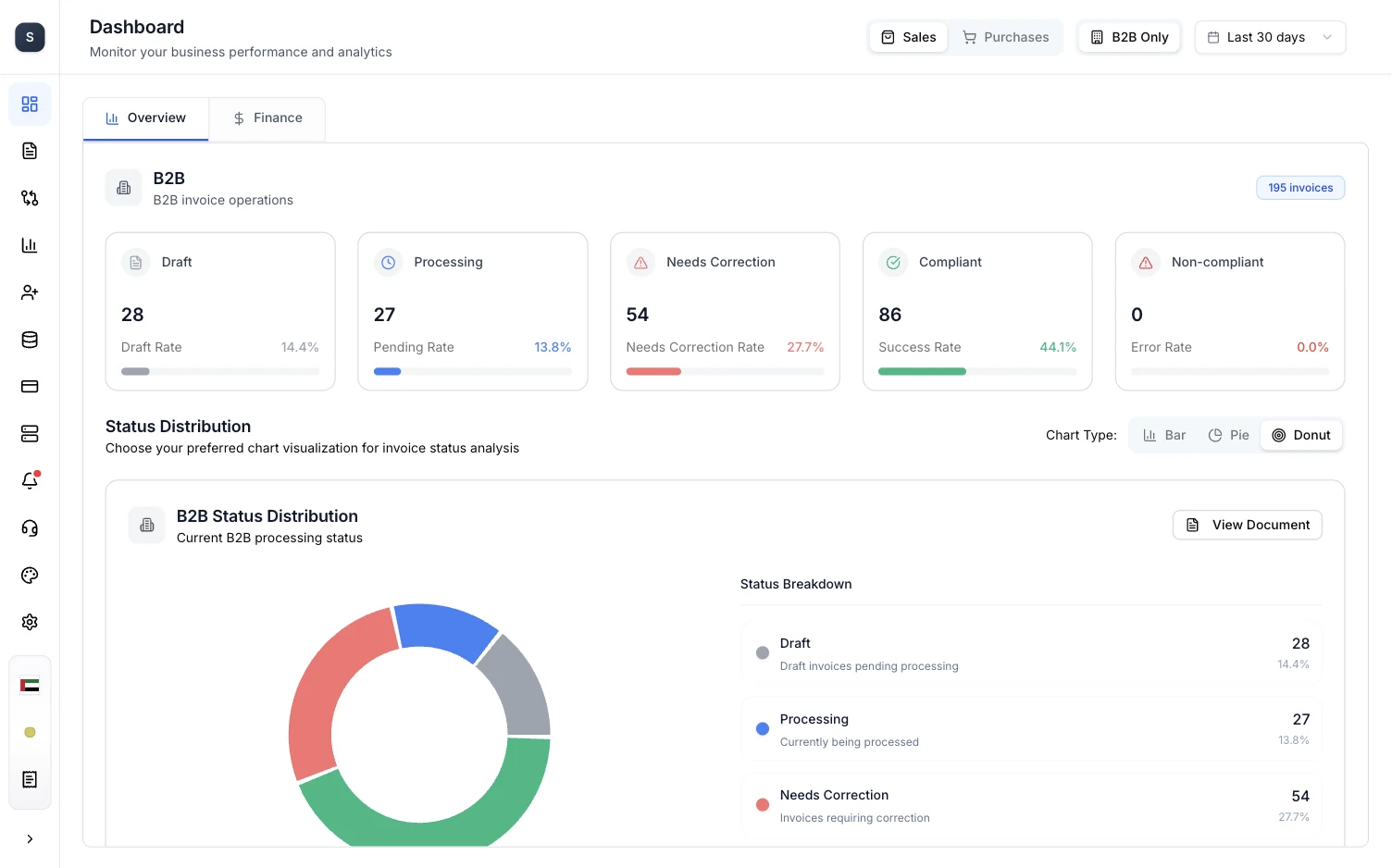
Invoices are shown in groups, such as B2B. The group’s header shows how many invoices it holds. Under it is one card per status, each with a count and its share of the total, for example Needs Correction Rate or Success Rate.

| Status | What it means | What to do |
|---|---|---|
| Draft | Documents listed as Ready to Process or Ready in Documents. They have not been sent yet. | Open a Ready document and choose Submit to Government. |
| Processing | We are validating or submitting the document. | Nothing. Check back shortly. |
| Needs Correction | Something in the document has to be fixed before it can go any further. | Open it in Documents, fix the fields listed, and resubmit. |
| Submitted to C3 | Belgium and Germany only. The document was delivered to the buyer’s Peppol access point (C3). Documents listed as Submitted. | Nothing. |
| Compliant | The document passed and was accepted. | Nothing. |
| Non-compliant | The tax authority or network rejected the document. Documents listed as Non-Compliant. | Open it in Documents to see why, then issue a corrected document. |
The Documents list uses more detailed statuses than these cards. Document statuses shows how they match.
Below the cards, Status Distribution draws the same numbers as a Bar, Pie or Donut chart, with a Status Breakdown list beside it. Choose View Document to open the invoices behind the chart.
Finance
The Finance tab turns the same invoices into money figures for the period, in the country’s currency.
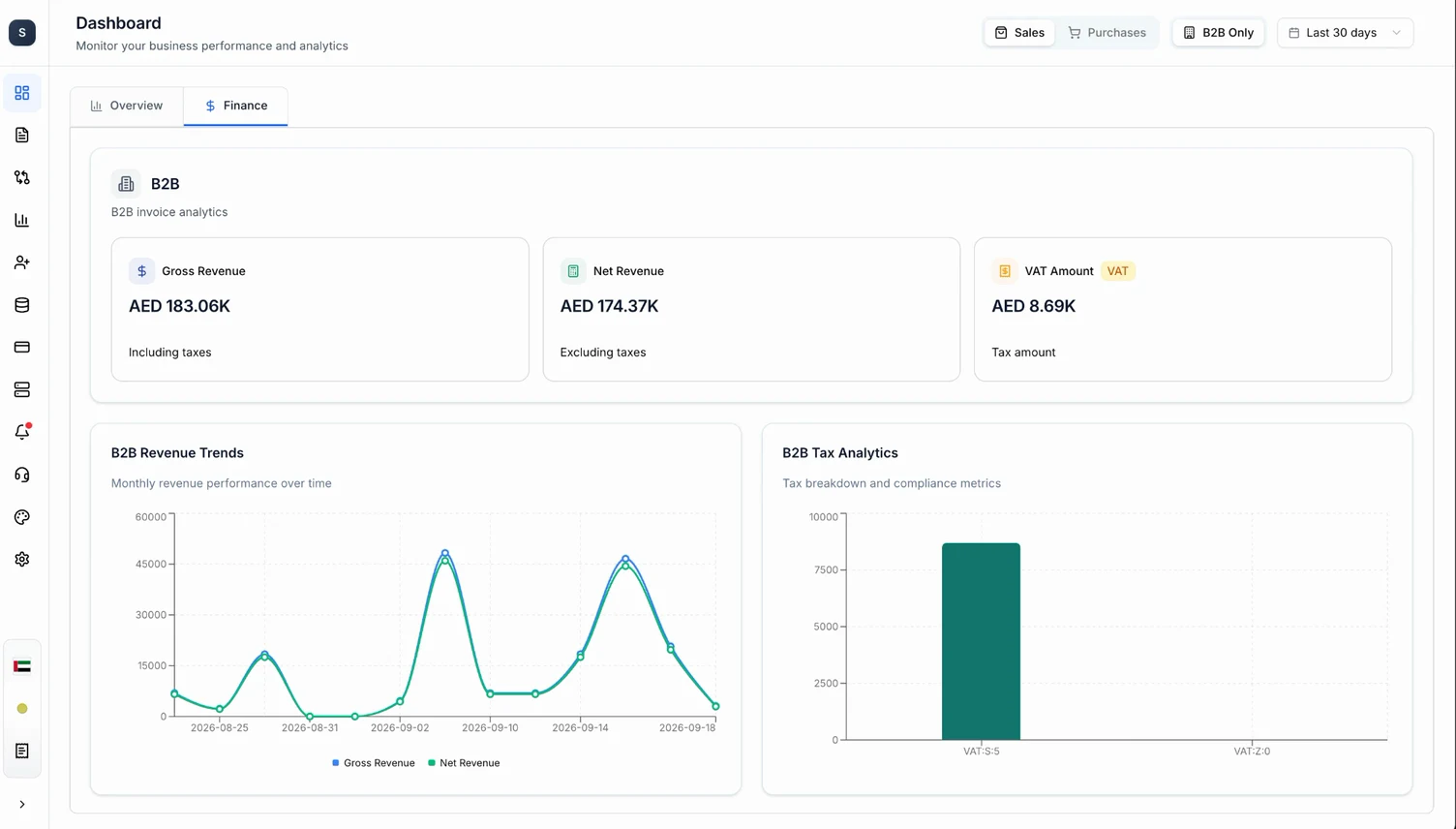
Three cards sit at the top of each group:
- Gross Revenue: the total including taxes.
- Net Revenue: the total excluding taxes.
- The tax amount, named after the country’s tax, for example VAT Amount.
Two charts follow:
- Revenue Trends plots gross and net revenue over the time range, so you can see which days or months were busy.
- Tax Analytics shows how much tax fell under each tax category and rate.
The same controls apply here as on the Overview tab. Switch to Purchases to see the figures for invoices you received.
These figures come from the invoices sent through Complyance. They are not a replacement for your accounting records.
What changes by country
| Country | Sales / Purchases switch | Invoice groups | Tax | Currency |
|---|---|---|---|---|
| United Arab Emirates | Yes | B2B | VAT | AED |
| Saudi Arabia | No | B2B, B2C | VAT | SAR |
| Malaysia | Yes | Sales, Purchases | SST | MYR |
| Belgium | Yes | B2B, B2G | VAT | EUR |
| Germany | Yes | B2B, B2G | VAT | EUR |
Submitted to C3 appears only in Belgium and Germany.