

Prepare a UAE company for onboarding
Gather the identity details and authorization needed to onboard a UAE customer. You need the customer’s 10-digit TIN and access to your ISV workspace.
Confirm the company identity
Get the customer’s UAE tax identification number (TIN), exactly 10 digits, and the account administrator’s email address used for verification. A VAT registration number is a different field; do not replace the TIN with a 15-digit VAT number.
Use the TIN and email that the customer’s ASP authorization was registered with. When you onboard through the API, send that email as contactPersonEmail. A different TIN or email returns ASP_LINKAGE_NOT_FOUND, even when the company is authorized.
You also need a first branch name and a source name/version for the system that will send invoices. Use an unused source name/version pair in your workspace.
Verify ASP authorization
The company must have the required linkage to Complyance as its accredited service provider (ASP) for the chosen environment. Confirm that authorization with the customer’s authorized administrator before attempting onboarding.
In the ISV portal, open Onboard → Add Company. The Identity Verification step asks for Tax Identification Number (TIN) and Account Admin Email. Mobile Number is optional. Choose Verify with EmaraTax after entering the customer’s actual details.
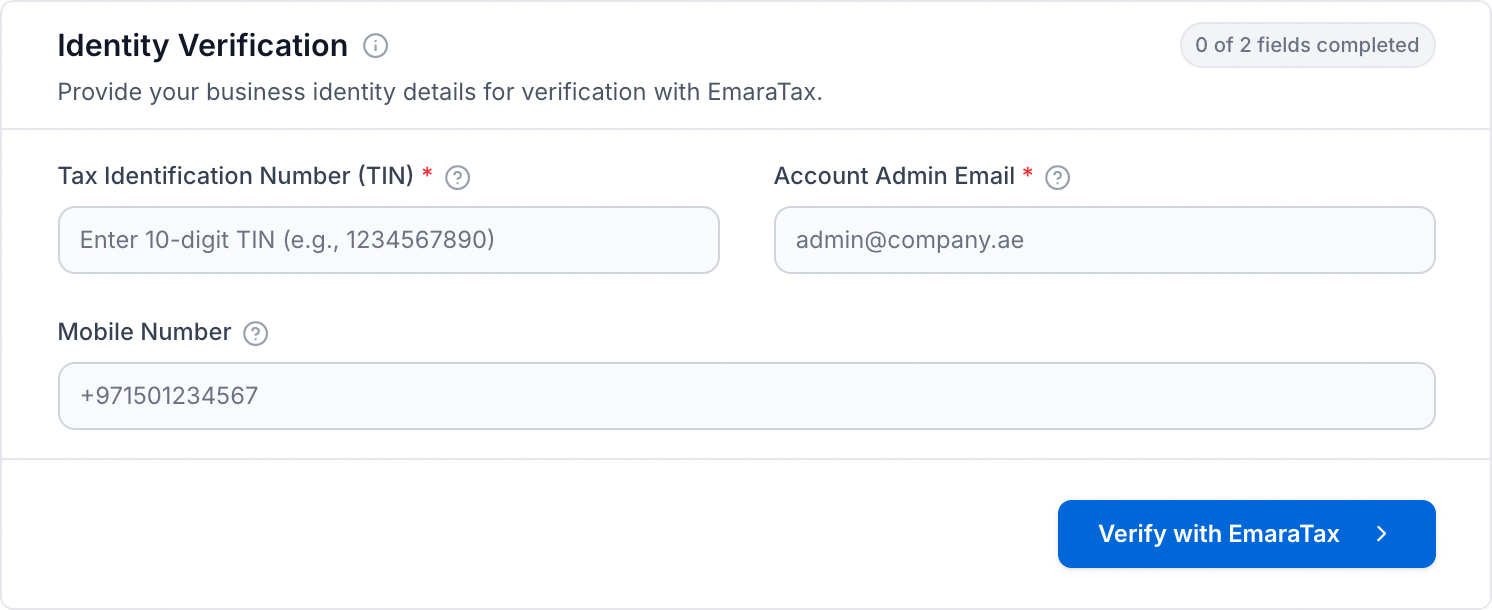
Continue only when verification succeeds. If the company is already onboarded, find its existing record instead.
Keep the environment consistent
Choose Sandbox for testing. The authorization, onboarding request and invoice submission must use the intended environment. An authorization or successful test in one environment does not establish readiness in another.
If something goes wrong
ASP_LINKAGE_NOT_FOUND: no pending authorization matches the TIN and email you sent. Check both against the ones the customer’s ASP authorization was registered with, then ask the customer’s authorized administrator to verify the ASP linkage for this environment. Repeating the same request or trying made-up TINs does not fix it.
PEPPOL_PARTICIPANT_UNAVAILABLE: the Peppol network identity could not be made available for onboarding. Check the existing company record and contact support with the request identifier.
Next, onboard the company.