

Core concepts
The few terms the rest of these docs rely on, and how they fit together. Read this once before you set up your first company or integration.
Complyance turns the invoices your systems already produce into e-invoices each country accepts. A handful of things make that work. This page names each one the way the app does.
How does an e-invoicing API work?
Many countries now require invoices as structured data rather than PDFs. Each country has its own format and its own rules, and many want to see an invoice before, or soon after, it reaches the buyer.
With Complyance, you send your invoice data once, in one format: GETS. Complyance then:
- turns it into the format the invoice’s country requires
- checks it against that country’s rules
- sends it to the tax authority, or over the Peppol network, depending on the country
- returns the result to you
If the invoice fails a check, the response lists what to correct. If it passes, you get a documentId and follow the document while delivery continues. Your request has the same shape for every country; only the fields each country requires differ.
To try it, send your first invoice. To see what each country uses, open Country coverage.
How it fits together
- You work in a workspace.
- In it you onboard a company, with one or more branches.
- A source is the system that sends that company’s invoices, such as an ERP.
- An integration maps the source’s payload to GETS, the format Complyance works in.
- You test the integration in a testbed, in sandbox.
- When it passes, the source sends real invoices in production, and Complyance delivers them to the tax authority.
Your account
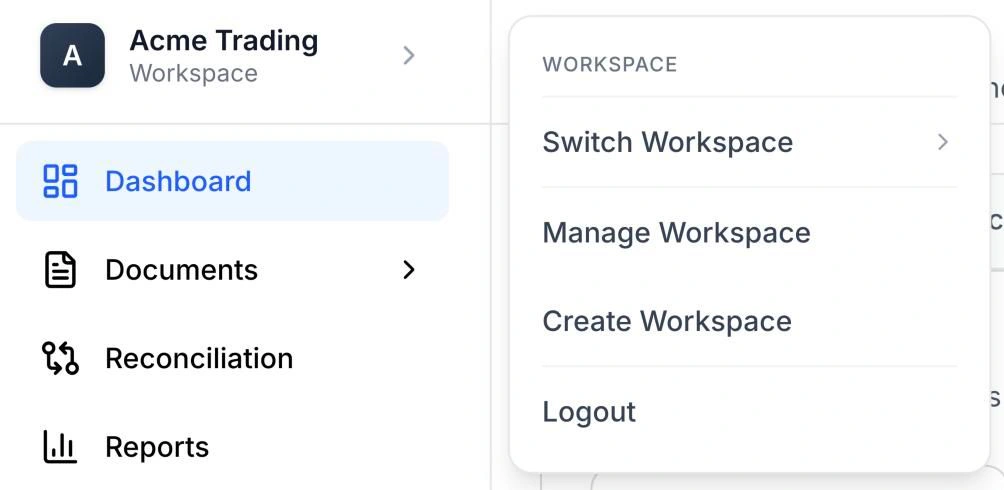
- Workspace: The account space your team works in. You create it when you sign up. Everything else on this page belongs to a workspace. The workspace menu at the top of the sidebar has Switch Workspace, Manage Workspace and Create Workspace.
- Company: A legal entity that issues invoices and is registered for e-invoicing in its country. You add it with Add Company when you onboard a company.
- Branch: A location or unit of a company, such as an office in Dubai. Each company has at least one. You add more with Add Branch.
Sending invoices
- Source: A system that sends invoices to Complyance, such as an ERP or a billing tool. A source has a name and a version, for example
acme-erpversion1.0.0, and every request names it. See Sources. - Payload: The invoice data your system sends, in its own shape. A sample payload is what you build an integration from. The Developer portal keeps them in the Payload Manager.
- GETS: The Complyance standard invoice format. You map your data to it once, and Complyance produces what each country needs from it. See the GETS field reference.
- Mapping: How a source’s fields correspond to GETS: your
invoice_nois GETSdocumentNumber, and so on. - Integration: A mapping built in the Integration engine: your payload’s fields matched to GETS, plus the fields each country requires. You start one with New Integration.
- Integration engine: The Developer portal tool where integrations are created, tested and managed. It maps your data. It is not a catalogue of ready-made ERP connectors. See Integration engine.
- Testbed: Where an integration runs against test cases before it goes live. You choose the integration, country, test case and environment, then select Test. See Testbeds.
Environments
Everything you set up and send belongs to one environment: companies, sources, documents, credits, webhooks and API keys.
- Sandbox: The environment for testing. Invoices sent in sandbox never reach a tax authority’s production system; in Saudi Arabia and Malaysia they go to the authority’s own sandbox. Sandbox does not use credits. Every new integration starts here. See Test in sandbox.
- Production: The live environment. Invoices sent here are delivered to the tax authority and use credits.
- Simulation: Saudi Arabia only. It stands for ZATCA’s simulation environment and appears in the environment switcher next to Sandbox and Production when Saudi Arabia is selected. Unify requests accept only
sandboxandproduction.
Two more names you will see are not environments:
- Mock API keys: what the API keys page calls the keys for every environment other than production. Use them for sandbox. Keys under Production API keys work only in production, and a mock key cannot send to production. See Create an API key.
- Test Mode: a guided way to explore the app with sample data. It starts on your first sign-in, with a banner that reads “You are in Test Mode”. While it is on, webhooks, SFTP, production API keys, Security and Subscription are unavailable. Choose Disable Test Mode in the banner, or turn it off in Account Settings, to return to the environment you were using.
You change environment with the environment switcher in the Invoice Portal. The Developer portal uses the environment you last chose there. See Switch country, environment and portal.
The app
- One Platform: The product businesses use for their own invoicing.
- Invoice Portal: The part of One Platform where finance teams work with documents and reports.
- Developer portal: The part of One Platform where developers set up integrations, sources, API keys and webhooks.
- Partner Platform: The product for ISVs, accounting firms and system integrators who work on behalf of their customers. See Partner Platform.
- Credits: What sending documents and generating reports in Production uses. They come with your plan and expire on a date. Your balance and every change to it are on the Credits page.
Next, create your account.