

Keep your sign-in and API in Malaysia
Your sign-in, API keys, URLs and company details move from the older Complyance app to One Platform unchanged. Check the one header your invoice requests need, then keep sending as before.
What stays the same
| In the new app | |
|---|---|
| Email address and password | The same. Sign in to One Platform with them. |
| API keys | The same keys, in the same x-api-key header. |
| API URLs | The same: https://malaysia-prod.complyance.io in production and https://malaysia-sandbox.complyance.io in sandbox. |
| Request body | The same template you send today. |
| Company details | The same companies, branches, TIN, BRN and SST registration numbers. |
Sign in to One Platform
Go to one.complyance.io and sign in with the email address and password you used in the older app. You do not need a new account.
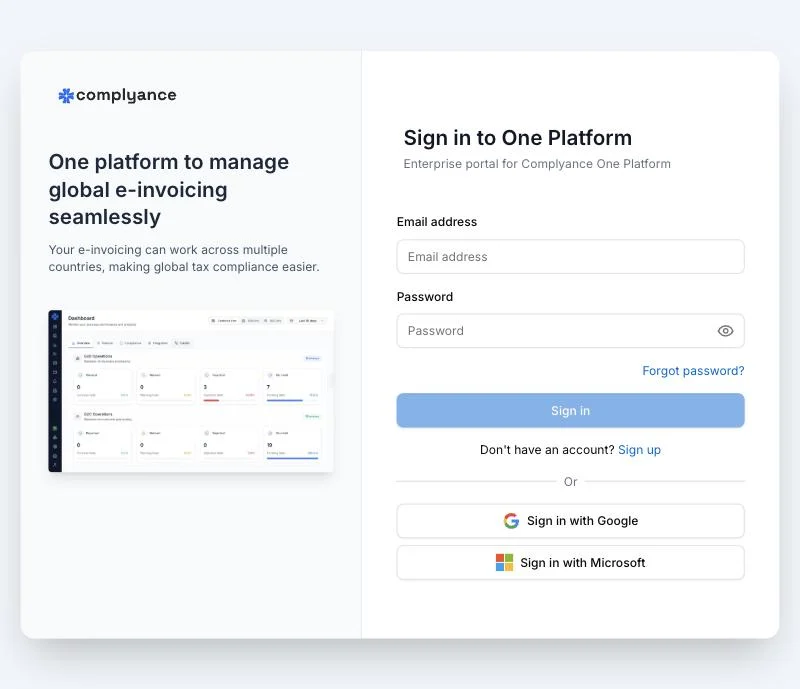
After you sign in, select Malaysia and your environment at the bottom of the sidebar. Everything you see belongs to the country and environment you select.
Find your companies and API keys
Open Onboard in the sidebar. Onboarding lists each company you onboarded in the older app, with its branches. Each branch shows its API KEY and STATUS. Choose the copy button beside a key to copy it.
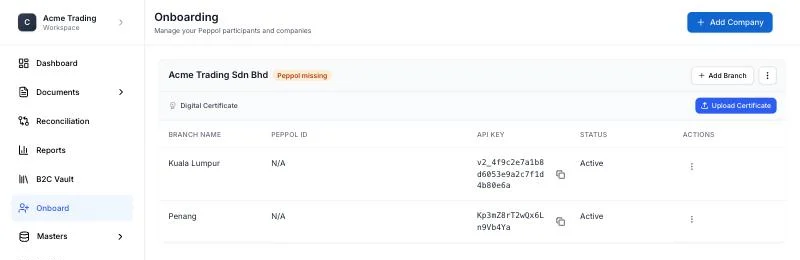
Keep using the key your integration already has; you do not need to generate a new one. To add a company or a branch, use Add Company or Add Branch on the same page. The form asks for the same details as the older app. See Onboard a Malaysian company.
Keep sending your requests
These requests keep working with the same URL and request body:
| What you do | Request | What to check |
|---|---|---|
| Send an invoice, credit note, debit note or refund note | POST /unify | Send the invoiceMethod: non-peppol header. It was optional in the older app; without it the request now returns 400. Put one document in invoiceDataList per request. |
| Send a consumer receipt | POST /createReciept | Nothing. |
| Look up a document’s details from LHDN | POST /getDocumentDetailsFromLHDN | Send only documentUuid in the body. Other fields are rejected. |
The older app’s API reference still describes these requests. Invoices you send appear in Documents → Sales, and receipts in the B2C Vault.
What you now do in One Platform
A few requests from the older app have no equivalent at the old URL:
| Older request | Instead |
|---|---|
| Onboarding a company | Use Onboard in the Invoice Portal, as above. |
POST /deleteReceipt | Select the receipts in the B2C Vault and choose Delete. |
POST /cancelDocument | Cancel the document in the MyInvois portal, within 72 hours of LHDN marking it valid. See the life of a Malaysian e-invoice. |
Peppol invoices sent with invoiceMethod: peppol | Not accepted at /unify after the move. Email ambarish@complyance.io or harini@complyance.io to plan sending them with the current API. |
For anything new, use the current API, Unify. Open the API playground, fill in a request in sandbox and copy it as cURL, JavaScript or Python. The Malaysia examples have complete requests to start from.
If something goes wrong
401withMalaysia V2 API-key authentication is required: the API key is not one that moved with your account. Copy the key from Onboard, or email ambarish@complyance.io or harini@complyance.io.403: the API key belongs to the other environment. Use your sandbox key withmalaysia-sandbox.complyance.ioand your production key withmalaysia-prod.complyance.io.400from/unify: check that the request sends theinvoiceMethod: non-peppolheader.
Get help with the move
For any question about moving to the new app, email ambarish@complyance.io or harini@complyance.io. Include your company name and, for a document, its document number.
Last updated